If you’re launching a mobile product today, choosing your cross‑platform framework is one of the most consequential technical decisions you’ll make. The wrong stack can slow development, inflate bugs, and lock you into a codebase that’s painful to scale. The right one aligns with your team’s skills, performance requirements, and long‑term product roadmap.
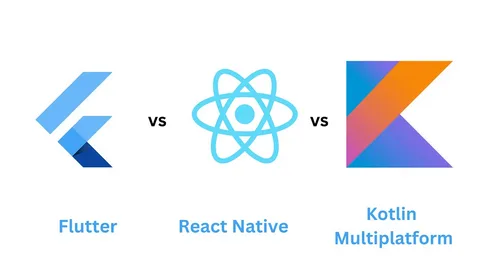
In 2026, three technologies dominate the cross‑platform conversation: Flutter, React Native, and Kotlin Multiplatform (KMP). Each offers “write‑once, run‑on‑mobile” capabilities, but their underlying architectures, performance profiles, and developer experiences differ significantly. This article compares them side‑by‑side so you can choose the framework that fits your next project.
How Flutter, React Native, and KMP Work
Before comparing performance or costs, understand how each framework runs on the device.
- Flutter
Flutter renders UI with a Skia‑based engine and compiles Dart to native ARM‑based binaries. The UI is not native widgets but Flutter‑owned widgets that mimic iOS and Android design systems. This gives a consistent look and feel across platforms with a single codebase for UI and business logic. Flutter excels for rich, animated UIs and tight control over every pixel, similar to approaches in custom mobile app development.
- React Native
React Native uses JavaScript or TypeScript and a bridge‑based (or “bridgeless”) model where UI blends native components and WebView‑like elements. The JavaScript layer runs in a JS engine, while UI components map to native Android/iOS views. It’s ideal for web‑first teams reusing React‑style patterns and sharing logic with web apps, as seen in mobile app development services.
- Kotlin Multiplatform (KMP)
KMP takes a “shared logic, native UI” approach. Write business logic, data models, and networking in Kotlin, then expose to iOS and Android via platform‑specific UI layers (Swift/UIKit/SwiftUI on iOS, Compose on Android). KMP compiles to native code, so your shared module runs without an extra runtime, aligning with enterprise software development practices.
From a high‑level view:
- Flutter = Single UI layer + Dart runtime
- React Native = Native UI + JavaScript runtime
- KMP = Shared Kotlin logic + native UI layers
Performance and Runtime Behavior
Performance includes startup time, memory usage, frame rate, app size, and heavy‑workload handling.
- Flutter
Flutter delivers smooth UI rendering and high frame rates via the Skia‑based Impeller renderer. Cold‑start times can be slightly higher than pure native, but UI is fast and consistent. App size is larger than KMP due to the bundled engine, as noted in mobile app development cost guides. Ideal for rich animations and complex custom UIs, like in fleet management app development.
- React Native
With bridgeless architecture and improved JS engines, React Native closes the performance gap, but relies on a JavaScript runtime marshaling data. Under heavy workloads, jank or higher memory pressure can occur. It’s fast enough for most business apps and ships quickly for JS/React teams, as emphasized in product development process workflows.
- Kotlin Multiplatform (KMP)
KMP shines for native performance and binary efficiency, compiling shared logic directly to native. Startup latency and memory usage beat Flutter or React Native, with smaller binaries and no bundled engine or JS runtime. Perfect for performance‑sensitive apps with Kotlin‑savvy teams, as in enterprise mobile app development.
In short:
- Flutter: Great for UI‑heavy apps.
- React Native: Great for JS/React teams.
- KMP: Great for performance‑sensitive apps.
Developer Experience and Learning Curve
Developer experience covers language, tooling, debugging, and onboarding speed.
- Flutter (Dart)
Dart is a modern, moderately sized language with strong async support and null safety. Flutter’s Hot Reload, rich dev tools, and widget library ease UI prototyping. Language is niche, so onboard Dart newbies, as per the mobile app development team’s insights.
- React Native (JavaScript/TypeScript)
Runs on JavaScript/TypeScript, familiar to most frontend engineers. React mental model (components, hooks, JSX) maps to mobile. Tooling like Metro and Flipper has matured, but native‑code debugging can frustrate, especially for static‑typing fans in software development services.
- Kotlin Multiplatform (Kotlin)
Leverages Kotlin, a statically‑typed language with top IDE support via IntelliJ/Android Studio. If your team writes Kotlin for Android, KMP is a seamless evolution, sharing business logic while keeping UI native. Steep for web‑only teams, but smooth for Android app development experts.
Trade‑off summary:
- Flutter: UI‑friendly but language‑centric.
- React Native: Developer‑friendly for web teams.
- KMP: IDE‑friendly and performance‑centric.
UI Consistency vs Native Look‑and‑Feel
Balancing UI consistency and native feel is key.
- Flutter
Delivers maximum UI consistency with Flutter‑owned widgets identical on iOS and Android, as in brand‑centric UIs in web app design services. Loss of “true native” feel can be noticeable.
- React Native
Straddles both worlds: use third‑party UI kits for consistency or platform‑specific components for a native look. Hybrid fit for platform‑specific UX, common in MVP app development.
- Kotlin Multiplatform
Explicitly “native UI” per platform with shared Kotlin logic. Preserves iOS and Android conventions, ideal for enterprise UX via UI/UX design services.
Preference:
- Brand‑centric UIs: Flutter.
- Native UX: KMP.
- Hybrid: React Native.
Ecosystem, Libraries, and Community
Framework strength ties to libraries, integrations, and community.
- Flutter
Large, mature ecosystem with packages for analytics, payments, maps, etc., reducing risks. Community is active, with docs/tutorials, as in mobile app optimization guides.
- React Native
Massive ecosystem via npm, covering most use cases. Quality varies, with some abandonware, but community hacks help, per app store optimization insights.
- Kotlin Multiplatform
Growing ecosystem tied to Kotlin; need custom adapters for some iOS SDKs. Strong Kotlin/Android support, ideal for enterprise apps in fintech app development.
Long‑Term Maintenance and Team Fit
Consider 3–5 year viability.
- Flutter
Google‑backed, evolving with performance and tooling. Ideal for feature‑rich consumer apps, like on-demand delivery apps.
- React Native
Facebook‑backed, community‑driven. Great for JS/React teams with fast iteration, as in digital product audit services.
- KMP
JetBrains‑driven, Kotlin‑centric. Strong for enterprise apps with Kotlin expertise, as in saas platform development.
How Pixact Technologies Approaches Cross‑Platform Choices
So, when to choose what? Here are the guidelines:
- Flutter: UI‑heavy apps, Dart comfort, brand‑consistent UIs.
- React Native: JS/React teams, web logic reuse, non‑extreme performance needs.
- KMP: Kotlin‑savvy teams, performance‑sensitive apps, native UIs.
Pixact Technologies treats frameworks as trade‑off tools. For UX and speed, Flutter shines; for Kotlin‑centric teams, KMP; for JS experts, React Native. Reach out to Pixact Technologies to align your use case, team skills, and roadmap for the right stack.